 clayandco


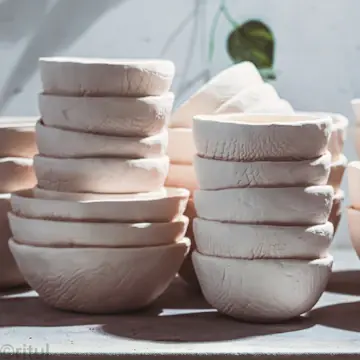
Six styles
From a photo you could have taken to a cartoon, an anime frame or a retro print. The style shapes the whole image, not just a filter on top.
RobinPixel · AI images
Write what you want to see, pick a style, a format and a resolution, and RobinPixel makes the image. It lands in your library and goes into a post in one click.
An example studio and post, invented for this page.
With RobinPixel in RobinReach. Describe the image, pick one of 6 styles, one of 5 formats and 1K, 2K or 4K, and it is made with OpenAI's GPT Image or Google's Gemini. Every image is saved to a RobinPixel folder and to Recent images, ready to add to a post. Every plan includes a monthly allowance, from 5 images on Seed to 500 on Scale.
| Description | Up to 2,000 characters Plus optional extra guidelines, up to 1,000 characters |
|---|---|
| Styles | Realistic, Cartoon, Anime, Abstract, Vintage, Futuristic |
| Formats | Square 1:1, landscape 16:9 and 4:3, portrait 9:16 and 3:4 |
| Resolution | 1K, 2K or 4K 4K can take a few minutes and finishes in the background |
| Image models | Two: OpenAI's GPT Image and Google's Gemini You pick one for each image |
| Where images go | A RobinPixel folder and Recent images Add to a post, save to any folder, download |
| Monthly images | Seed 5, Sprout 20, Bloom 50, Thrive 100 and Scale 500 Every plan, the free plan included |
| Claude and ChatGPT | Make images through the RobinReach connector On Bloom, Thrive and Scale, at standard resolution, from the same monthly allowance |
A stock photo everyone has already seen, or an hour in a design app. Or one sentence, and an image made for the post you're writing.
Four steps, and the image is already where you need it.
Say what is in the picture, where it is, the light and the mood. Stuck? Start from one of the ideas under the box.
Choose a style, a format for the network and a resolution. Add extra guidelines if the image has rules, like room for text or your brand colors.
The image is made in the background, so you can keep working. It is saved to a RobinPixel folder in your library and to Recent images.
Add to post opens the composer with the image attached. Write the caption, pick the networks and schedule it.
Made for social formats, saved where you will look for it, and one click from the composer.
From a photo you could have taken to a cartoon, an anime frame or a retro print. The style shapes the whole image, not just a filter on top.
1K for a quick draft, 2K or 4K when it has to be sharp. 4K can take a few minutes and finishes while you keep working.
Square, landscape and portrait, in the shapes the networks use.
Every image is saved to your media library on its own, so nothing gets lost in a downloads folder.
Add any image to a post, save it to another folder, download it, reuse its prompt or make a new version.
The AI image button in the composer turns the post you are writing into an image, with its own styles and sizes, and attaches it.
Connect Claude or ChatGPT to RobinReach and ask for an image in the chat, with the style and format you want. It is made from your monthly allowance, saved to your RobinPixel folder and can go straight into a post, on Bloom, Thrive and Scale.
Stock sites, design apps and downloads folders all sit between the idea and the post.
So all in about 3 hours of time but 30-day worth of posts and graphics done!…
 Kevin W. McCarthyReview on AppSumo
Let RobinGen write the words, keep every file in the media library, and bring Claude or ChatGPT in to do both.
Turn a note or a link into a ready draft in your brand's voice.
Learn moreFolders per brand, uploads and Google Drive imports, attached to posts in two clicks.
Learn moreLet Claude, ChatGPT and other assistants plan, write and schedule for you.
Learn moreTwo image models, one from OpenAI (GPT Image) and one from Google (Gemini). You pick one for each image. If GPT Image fails, RobinPixel tries Gemini so you still get your image.
Every plan includes a monthly allowance for new accounts: Seed 5, Sprout 20, Bloom 50, Thrive 100 and Scale 500. Accounts on older plans keep the allowance they signed up with. Compare plans.
Five formats: square 1:1, landscape 16:9 and 4:3, portrait 9:16 and 3:4. Each comes in 1K, 2K or 4K. A 4K image can take a few minutes. It finishes in the background and shows up in Recent images when it is ready.
Every image is saved to a folder called RobinPixel in your media library and listed in Recent images. From there you can add it to a post, save it to any other folder, download it, reuse its prompt or generate a new version.
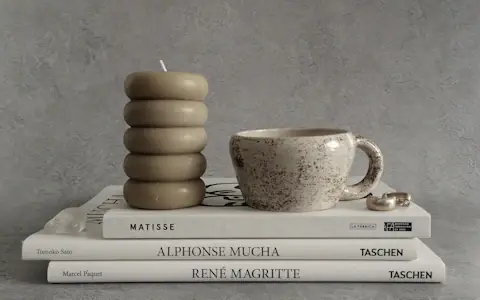
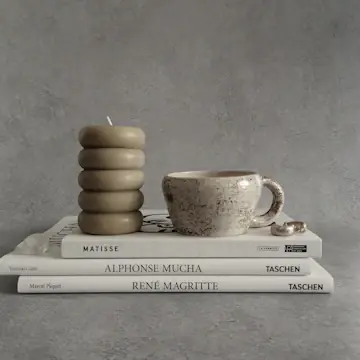
Say what is in the picture, where, the light and the mood, for example "a speckled ceramic mug on a stack of art books, soft daylight". The description can be up to 2,000 characters. Use extra guidelines, up to 1,000 characters, for rules like leaving space for text or matching your brand colors.
Yes. The AI image button in the composer turns the text of your post into an image, with its own style and size choices, and attaches it to the post. The image is saved to the RobinPixel folder too.
Yes, on Bloom, Thrive and Scale. Connect Claude or ChatGPT to RobinReach and ask for an image in the chat. You can name one of the 6 styles and one of the 5 formats and add your own guidelines, as on this page. It counts toward the same monthly allowance, is saved to the RobinPixel folder of your media library, appears in Recent images and can be attached to a post. Images made in the chat use the standard 1K resolution, so 2K and 4K stay in RobinPixel. See how it works.
Describe it, pick a style and add it to a post in a minute.