
Shorts and long videos, one composer
A vertical Short and a forty minute episode are scheduled the same way. Attach the video, set the details, choose a time.
 YouTube scheduler
Upload the video once, fill in the title, description, tags and thumbnail, then pick a time. RobinReach does the upload, the playlist and the first comment while you edit the next one.
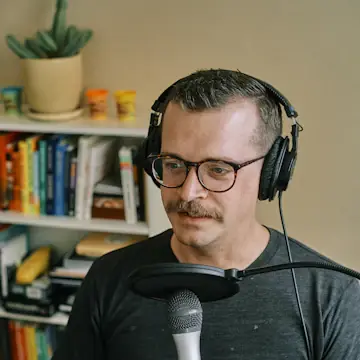
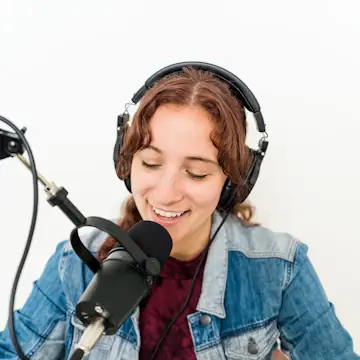
An example podcast, invented for this page. Photos from Unsplash.
Yes. You attach the finished video, and RobinReach uploads it at the time you choose with the title (up to 100 characters), description (up to 5,000), tags, privacy, playlists and a custom thumbnail already set, then posts your first comment. A Short is scheduled exactly like any other video: YouTube decides it is a Short from the video itself.
| Title | Up to 100 characters YouTube requires one on every video |
|---|---|
| Description | Up to 5,000 characters Counted as you type, so chapters and links are never cut off |
| Formats | Long videos and Shorts YouTube decides what is a Short from the video |
| Thumbnail | Your own image Set as soon as the upload finishes |
| Privacy | Public, unlisted or private Plus whether subscribers get notified |
| Playlists | Added on upload Pick from your channel's real playlists |
| First comment | Posted for you The moment YouTube confirms the upload |
Your video plan and your social calendar finally live on the same screen, with one upload doing the work of six tabs.
Four steps, and once the channel is connected only the last three repeat.
Sign in with Google and pick the YouTube channel RobinReach should publish to. Connect as many channels as your plan allows.
Attach the video, then write the title and description, add tags and a thumbnail, choose privacy and playlists, and decide whether subscribers get notified.
Choose a day and time on the calendar, in your brand's time zone, next to everything else you are publishing that week.
At that time RobinReach uploads the video, sets the thumbnail, adds it to your playlists and posts the first comment, then marks it published on the calendar.
Shorts, long videos, thumbnails, playlists and comments, handled where you plan the rest of your content.
A vertical Short and a forty minute episode are scheduled the same way. Attach the video, set the details, choose a time.
Chapters, timestamps, links and credits all fit, with a live count so nothing gets cut off.
Privacy, playlist and tags are part of the post, not a second job in YouTube Studio afterwards.
Attach a cover and RobinReach sets it once the upload completes. Make one with the AI image tools or bring your own.
Write it with the post. It appears under the video as soon as YouTube confirms the upload.
Send the same upload to several channels, or reshape it for TikTok, Reels and the rest from one composer.
Connect Claude or ChatGPT to RobinReach and describe the video. It writes the title and description, adds tags and schedules it.
Scheduling in YouTube Studio means one video, one channel, one tab and the same form filled in again every time.
How RobinReach publishes one post to 13 networks in one click, with no copy and paste.
Their powerful API and n8n integration let me automate months of video and post scheduling in advance from one easy dashboard.
 Kevin BeckReview on Trustpilot
One upload can feed a week of posts everywhere else you publish.
New videos and photos on one network turn into posts on the others, by themselves.
Learn more
Videos and photo posts published through TikTok's official API, no phone reminders.
Learn moreEvery network on one report card, with the best time to post from your own data.
Learn moreConnect Claude or ChatGPT to RobinReach with one MCP URL and it writes, schedules, and publishes to YouTube straight from the conversation.
Yes. A Short is scheduled like any other video: attach the vertical video, write the title and description and pick a time. YouTube decides it is a Short from the video itself, so there is no separate setting.
No. You supply the finished video and RobinReach handles everything around it: the upload, title, description, tags, thumbnail, privacy, playlists and first comment.
Yes. Attach a cover image to the post and RobinReach sets it as the thumbnail as soon as the upload completes. Design one with RobinReach's AI image tools or bring your own image.
Yes. Connect each channel, then select every channel you want on the same post. RobinReach uploads to each one, so you never repeat the upload by hand. How many channels you can connect depends on your plan.
Yes. Write it in the composer with the rest of the post and RobinReach adds it as soon as YouTube confirms the upload. It is the usual place for links, chapters or a question for viewers.
Yes. Every upload has a Notify subscribers setting, and you pick public, unlisted or private for each video, just as you would in YouTube Studio.
Subscribers, videos published and total channel views, with per video numbers for the videos you published through RobinReach, on the same report card as your other networks. See the reports.
5,000 characters, which is YouTube's own limit. The composer counts as you type and warns you before you go over, so chapters and links are never cut off.
Connect YouTube, fill in the details once and let RobinReach publish your next video while you are already editing the one after.










Which hotel should we visit next season? Tell us below.