 Instagram Reel
 Facebook Reel
 X
Checked against every network
Length, shape, file size, frame rate, bitrate and format, read from the same rules that stop a post from publishing. Anything a network would refuse shows before you save.
Editor · videos and photos, inside the composer
Click the pencil on any video or photo in the composer. Trim, reframe for Reels or YouTube, add text and your logo, and RobinReach checks the result against every network you picked, before you schedule.
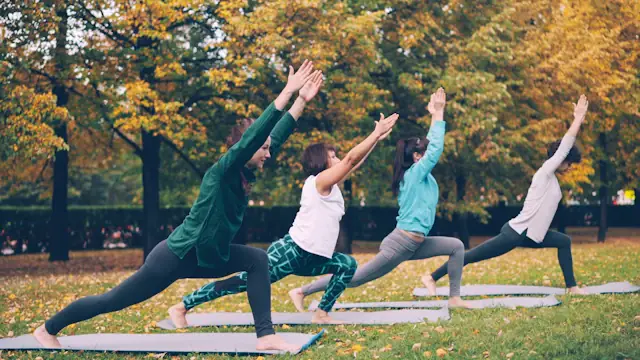
An example coach with an invented clip. Footage still from Unsplash.
In RobinReach's composer. Click the pencil on a video to trim it, change its shape to 9:16, 4:5, 1:1 or 16:9 (cropped, on a blurred background or with color bars), add up to 3 text layers, put your logo on it, mute, compress or convert it to MP4. RobinReach checks it against every network you selected and fixes most problems in one click. Photos open in an image editor with network crop sizes, filters, text and your logo. The original is always kept, so you can go back. It is on every plan.
| Video | Trim, reframe, rotate, mute 9:16, 4:5, 1:1 or 16:9, filled by a crop, a blur or color bars |
|---|---|
| Text | Up to 3 layers 4 fonts, outline, box or shadow, timed in and out |
| Logo | Your brand's logo as a watermark 5 positions, size and opacity, saved per brand |
| Checks | Against every network you selected Read from the same rules that block publishing |
| Fix all | Trim, reshape, compress, 30 fps, MP4 One click for most problems |
| Photos | Crop, adjust, filters, text, logo, resize Crop presets for 1:1, 4:5, 9:16, 16:9 and 2:3 Pins |
| Original | Always kept Reopen any edit, or revert in one click |
| Plans | Every plan, including Free |
A Reel can be refused for a clip ten seconds too long, the wrong shape or a file that's too big. Fix it where you post it, not in three other apps.
Four steps, all inside the composer.
Attach a video, pick your networks and click the pencil. The editor lists what each network will accept and what it would refuse.
Fix all applies the trim, the shape, the compression, the frame rate or the MP4 conversion the networks need. A wide clip gets a blurred background instead of losing its sides.
Add a hook in one of the editor's fonts, switch on your logo and pick the frame that becomes the cover.
RobinReach renders the video on its servers and swaps it into the post. Keep writing while it works, then schedule as usual.
Each video is checked against the networks you picked as you edit, so the file you save is one they accept.
Length, shape, file size, frame rate, bitrate and format, read from the same rules that stop a post from publishing. Anything a network would refuse shows before you save.
Trims, reshapes, compresses, sets 30 fps or converts to MP4, whatever the networks need.
Crop and move the frame, place the video on a blurred copy of itself, or add color bars.
Up to 3 layers, kept away from where vertical video apps draw their buttons.
5 positions, size and opacity, saved for the brand or changed for one post.
Crop to Square, Portrait, Story, Landscape or Pin, adjust and filter, add text, shapes and your logo, and resize. Text and shapes stay editable.
Every edit renders from the original file, so you can reopen it with its settings or go back to the original in one click.
Scrub to the right moment and use it as the cover. It becomes the post's thumbnail and its TikTok cover.
Videos are processed on RobinReach's servers. Keep working on the post and you're told when the edit is done.
A video often passes through an editor, a converter and a resizer before a network accepts it.
RobinReach genuinely speeds up my content workflow as a fitness coach and creator. …the ability to prepare Instagram, Facebook, TikTok, and Pinterest versions in one place make a huge difference.
Store the files, write the captions and make images when you need them.
Folders per brand, uploads and Google Drive imports, attached to posts in two clicks.
Learn moreOne composer for every network, with a preview and the right limits for each.
Learn moreDescribe an image and get it in 6 styles and 5 formats, saved to your library and ready for a post.
Learn moreEvery plan, including the free one, for everyone on the brand except clients. Editing uses no AI credits. Editing a file from the media library saves a copy, which counts toward your storage. Compare plans.
Trim the start and end, rotate it, change its shape to 9:16, 4:5, 1:1 or 16:9 (crop to fill and move the frame, a blurred background or color bars in any color), mute it, compress it to at most 1080p at about 4 Mbps, set 30 fps, convert it to MP4, add up to 3 text layers of up to 200 characters, place your brand's logo and pick a cover frame. The result is always an MP4 every network RobinReach publishes to accepts.
It reads the limits from the same rules that block publishing: length, shape, file size, frame rate, bitrate, dimensions and format, for each network you selected, Reel or Story where that matters. Fix all applies the trim, shape, compression, frame rate or MP4 conversion that solves it. What it can't fix, like a clip that's too short, is listed so you know before you schedule.
No. A file picked from the media library is edited as a new copy, so other posts that use it stay as they were. Every edit also keeps the original, so you can reopen it with its settings or revert to the original.
Videos are processed on RobinReach's servers, which can take a minute or more for long clips. You can keep working on the post, and the editor tells you when the new version is in.
Yes. Add a logo to the brand in its settings, then switch Logo on in the editor. Pick one of 5 positions, the size and the opacity, and save them as the brand's default or use them for one post. A brand without a logo uses its main account's.
Photos open in an image editor: crop with presets for Square (1:1), Portrait (4:5), Story or Reel (9:16), Landscape (16:9) and Pin (2:3), rotate and flip, fine-tune brightness and color, apply filters, add text, shapes and drawings, place your logo and resize. Text and shapes stay editable when you reopen the photo, and you can revert to the original. GIFs aren't edited.
4: a clean sans serif, a bold sans serif, a tall headline face and an elegant serif, each with an outline, a box, a shadow or plain, in any color, your brand's included. Each layer can show for part of the video, and text stays clear of where vertical video apps draw their buttons.
Attach a clip, click the pencil and let RobinReach handle the shape, the length and your logo.