Captions for your photos, written by an AI that sees them
Point Claude or ChatGPT at a folder in your media library. It actually looks at each picture, writes a caption and alt text that fit it, and saves a draft for every photo.
- Your AI
- Your photos
- A caption for every photo
Look at the photos in our Autumn shoot folder and write an Instagram caption for each one, in our voice. Save them as drafts.
- Found 6 photos in the Autumn shoot folder
- Looked at every photo
- Wrote a caption and alt text for each
- Saved 6 drafts, each with its photo
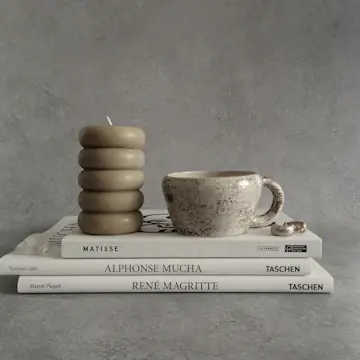
Six drafts are ready, one per photo. The speckled mug got the longest caption since it's your best seller, and every draft has alt text describing the photo. Want me to spread them over the next two weeks?

 RobinReachMedia library
 Clay & Co.
 Seen
Seen
 Seen
Seen
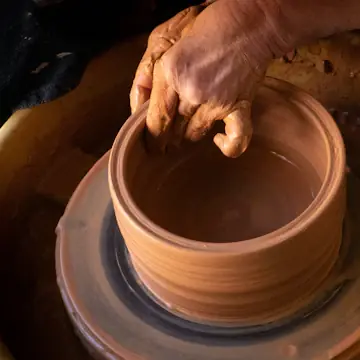 Seen
Seen
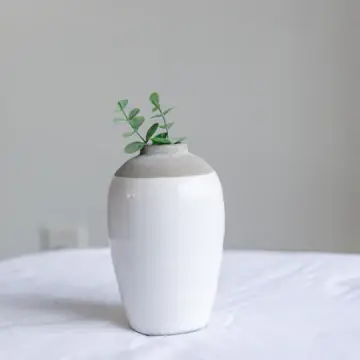 Seen
Seen
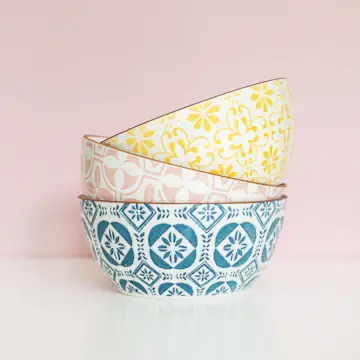 Seen
Seen
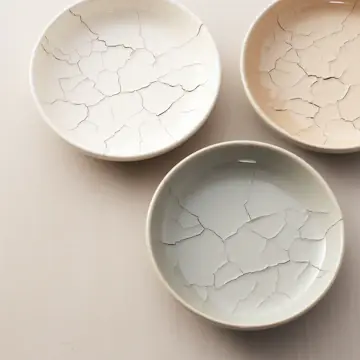 Seen
Seen
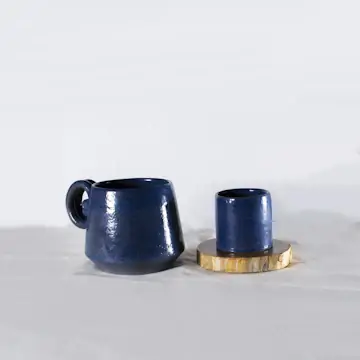
An example conversation with an invented brand. Photos from Unsplash.
What your AI uses to do it
Your assistant brings the thinking and the writing. RobinReach gives it hands: these are the parts of RobinReach it works with to get this done.
-
Your AI assistant
Claude, ChatGPT, Gemini, Codex or Cursor. You brief it the way you would brief a person, and it decides which RobinReach actions to take, in what order.
Connect yours in two minutes -
Media library
Finds the folder you name, opens every photo in it and gives your AI the pictures themselves, not just the file names.
Learn more -
A caption for every photo
How it works
What happens between your message and the result. The small labels are the RobinReach actions your AI calls, in case you are curious.
-
Connect your AI to RobinReach, once
Add RobinReach to Claude or ChatGPT as a connector with one link, click Connect and sign in to RobinReach. There is no API key to copy. Other assistants use the link with your API key, from Integrations in RobinReach. It takes about two minutes and you never repeat it.
-
Found 6 photos in the Autumn shoot folder
It lists your folders, then the photos inside the one you named. At this point it only has file names and sizes.
-
Looked at every photo
This is the important part: RobinReach hands your AI the pictures themselves, up to ten at a time, so the caption describes what is really in the photo, not a guess from its file name.
-
Wrote a caption and alt text for each
Each caption fits its photo and Instagram's rules. Alt text describes the picture for people using screen readers.
-
Saved 6 drafts, each with its photo
One draft per photo, ready for you to read and schedule.
-
Check it in RobinReach
Everything your AI did is in RobinReach: the calendar, the posts and their status. Edit, move or delete anything from there.
Copy the prompt
Paste it into your assistant and change the details to fit your brand.
Look at the photos in our Autumn shoot folder and write an Instagram caption for each one, in our voice. Save them as drafts.
More ways to ask
Copy one, paste it into Claude or ChatGPT, and swap in your own details.
-
Look at the photos I uploaded today and write a caption for each one. Keep them under 150 characters.
-
Pick the three best photos from the Summer folder for Instagram and tell me why you chose them.
-
Write Pinterest pin titles and descriptions for every photo in the Products folder, with alt text.
-
This photo is for LinkedIn: write a short post about the work behind it, without hashtags.
-
Find a free Unsplash photo of a cosy coffee shop for Monday's post and credit the photographer.
What it does, and what it doesn't
- Your AI sees the photos themselves, downsized, up to ten at a time. Bigger folders are captioned in rounds of ten.
- In ChatGPT you can also attach images to the chat and they go straight into your media library. Claude Code, Codex and Cursor can upload files from your computer.
- Alt text is written for Instagram and Pinterest, which both use it for accessibility and search.
- Captions are as good as what the photo shows. For product details like price or materials, tell your AI or keep them in your file names and folders.
- No photo yet? Your AI can search free Unsplash photos and credit the photographer, or make an image with AI.
Start smaller, or stack one more feature
Every use case is a recipe of RobinReach features. These share some of this one's.



Related


Create images for your posts
A few AI versions of the picture you describe, the best one attached to your post.
+ AI images 1 feature See how it works PlaybookLaunch a product with AI
Teasers, launch day, a follow-up, a link in bio card and DMs for every comment, from one message.
+ Campaign labelsAI imagesLink in bio pageComment to DMPublishing to 13 networks 5 features See how it works EssentialWrite in your brand voice
Your AI studies your past posts, remembers your corrections and writes like you on every network.
+ Brand voice 1 feature See how it worksFrequently asked questions
Can ChatGPT write captions for my photos?
Does Claude actually see the images, or just the file names?
Can it write alt text too?
How many photos can it caption at once?
Will the captions sound like me?
Which RobinReach plan do I need for this?
Let your AI caption the camera roll
Connect Claude or ChatGPT to RobinReach once and point it at a folder. Included in Bloom, Thrive and Scale.