One video on TikTok, Reels and Shorts, set up by AI
Tell Claude or ChatGPT which video to post. It writes a TikTok caption, a Reel caption with your cover, a searchable YouTube title, picks the playlist and schedules all three in RobinReach.
- Your AI
- Video
- Publishing
- One video, three networks
Post the morning mobility video from my library to TikTok, Instagram Reels and YouTube on Thursday at 6 PM. Use my cover image and put it in the Morning mobility playlist.
- Found the video and your cover image in the library
- Checked your YouTube playlists
- Wrote a version for each network and checked them
- Scheduled it on all three for Thursday at 6 PM
Scheduled for Thursday at 6 PM on all three. TikTok gets a short caption, the Reel uses your cover image, and YouTube gets a searchable title in your Morning mobility playlist. YouTube files short vertical videos like this one under Shorts on its own.

 RobinReachNew post
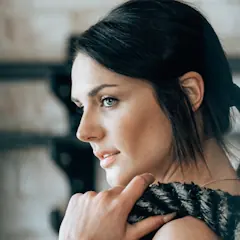 Coach Maya
 0:42
morning-mobility.mp4
0:42
morning-mobility.mp4
 TikTok
Checking
Scheduled
TikTok
Checking
Scheduled
- Caption
- Two minutes, zero equipment. Do this before coffee.
- Privacy
- Everyone
 Instagram Reel
Checking
Scheduled
Instagram Reel
Checking
Scheduled
- Caption
- Save this for tomorrow morning. Your hips will thank you.
- Type
- Reel
- Cover
- Your 9:16 cover image
 YouTube
Checking
Scheduled
YouTube
Checking
Scheduled
- Title
- 2 Minute Morning Mobility Routine (No Equipment)
- Privacy
- Public
- Playlist
- Morning mobility
An example conversation with an invented brand. Photos from Unsplash.
What your AI uses to do it
Your assistant brings the thinking and the writing. RobinReach gives it hands: these are the parts of RobinReach it works with to get this done.
-
Your AI assistant
Claude, ChatGPT, Gemini, Codex or Cursor. You brief it the way you would brief a person, and it decides which RobinReach actions to take, in what order.
Connect yours in two minutes -
Video, Reels and Shorts
Sets each network's options: the Reel and its cover on Instagram, privacy on TikTok, title, privacy and playlist on YouTube.
Learn more -
Publishing to 13 networks
Writes a caption per network, checks each one, then schedules the video everywhere at once.
Learn more -
One video, three networks
How it works
What happens between your message and the result. The small labels are the RobinReach actions your AI calls, in case you are curious.
-
Connect your AI to RobinReach, once
Add RobinReach to Claude or ChatGPT as a connector with one link, click Connect and sign in to RobinReach. There is no API key to copy. Other assistants use the link with your API key, from Integrations in RobinReach. It takes about two minutes and you never repeat it.
-
Found the video and your cover image in the library
Your AI finds the video and the cover by name in your RobinReach media library.
-
Checked your YouTube playlists
It looks up the real playlist instead of guessing, so the video lands in the right one.
-
Wrote a version for each network and checked them
A short caption for TikTok, a Reel caption with your cover, a title and description for YouTube. Each one is checked against that network's rules before anything is saved.
-
Scheduled it on all three for Thursday at 6 PM
One post in RobinReach, going out on three networks at the same time.
-
Check it in RobinReach
Everything your AI did is in RobinReach: the calendar, the posts and their status. Edit, move or delete anything from there.
Copy the prompt
Paste it into your assistant and change the details to fit your brand.
Post the morning mobility video from my library to TikTok, Instagram Reels and YouTube on Thursday at 6 PM. Use my cover image and put it in the Morning mobility playlist.
More ways to ask
Copy one, paste it into Claude or ChatGPT, and swap in your own details.
-
Post this video to TikTok and Instagram Reels tonight at 7, with a different caption on each.
-
Upload my latest video as a Trial Reel on Instagram, so it shows to non-followers first.
-
Schedule the tutorial video on YouTube as unlisted for now, in the Tutorials playlist.
-
Write five YouTube title ideas for this video and use the most searchable one.
-
Post the clip to TikTok, Reels and YouTube, and add a first comment on Instagram with the full routine link.
What it does, and what it doesn't
- The video can come from your RobinReach media library or a public link. Claude Code, Codex and Cursor can also upload a file straight from your computer.
- Instagram Trial Reels are supported: your AI can post a Reel to non-followers first and let Instagram share it to followers if it does well.
- TikTok, X, Bluesky and Threads don't accept custom covers. YouTube custom thumbnails need a verified channel; otherwise YouTube picks a frame.
- Instagram Reel covers must be JPG images.
- Want every new TikTok to go out to your other networks automatically? That's Repurposing.
Start smaller, or stack one more feature
Every use case is a recipe of RobinReach features. These share some of this one's.
Related


Recycle your best posts
Your top posts of the quarter, rewritten with new hooks and scheduled again.
+ AnalyticsPublishing to 13 networks 2 features See how it works ComboDM everyone who comments a keyword
A lead magnet post plus the automation that sends the link to everyone who comments.
+ Comment to DMPublishing to 13 networks 2 features See how it works Playbook

Turn a blog post into a week of posts
One link in, seven posts out: each idea rewritten for every network and scheduled across the week.
+ Blog to postsBrand voiceBest times to postPublishing to 13 networks 4 features See how it worksFrom the blog
Frequently asked questions
Can I post one video to TikTok, Instagram and YouTube at the same time?
Can ChatGPT post to YouTube Shorts?
Can it make the video for me?
Can it pick a cover for my Reel?
Which RobinReach plan do I need for this?
Post once, show up everywhere
Connect Claude or ChatGPT to RobinReach once and hand it your next video. Included in Bloom, Thrive and Scale.