ChatGPT vs Claude for Social Media (2026): Which One to Use and When
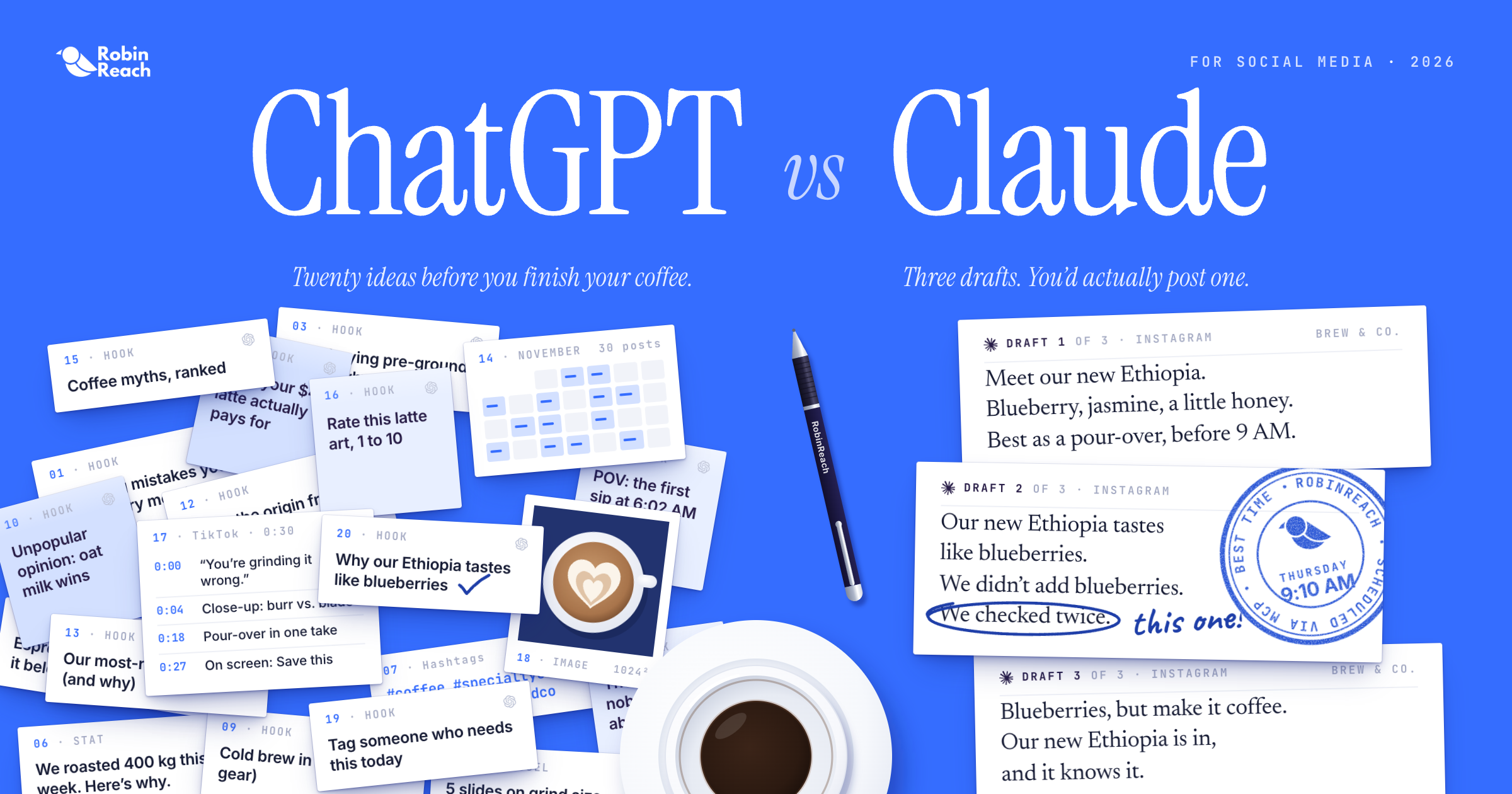
If you pay for both ChatGPT and Claude, you’ve probably noticed they don’t write the same way. One gives you twenty ideas before you finish your coffee. The other gives you three, but you’d actually post one of them.
Neither is “better.” They’re better at different jobs. This guide breaks down which one to open for each task and each platform, gives you prompts you can copy, and shows how to connect either one to your real social accounts so it stops guessing.
Key takeaways
ChatGPT is the better pick for volume, strict formats, short video scripts, and images.
Claude is the better pick for brand voice, LinkedIn, storytelling threads, DMs, and replies.
Both share one big weakness: they can’t see your accounts, your analytics, or your audience.
Connecting either one to RobinReach through MCP fixes that. The AI can pull your real numbers, find your best posting times, and schedule posts for you.
Where ChatGPT is stronger
Volume. When you need 20 hooks, 10 caption variations, or a month of post ideas, ChatGPT is fast and organized. If your process is “generate a lot, keep the best few,” start here.
Repurposing into many formats. Give it one blog post and ask for an Instagram caption, a LinkedIn post, an X post, and a TikTok script. It’s good at sizing each one for its platform in a single response.
Images. ChatGPT generates images right in the chat. Claude doesn’t. (There’s a workaround for Claude users further down.)
Structured output. Content calendars, YouTube descriptions, hashtag sets, carousel outlines. ChatGPT usually sticks to the format and length you ask for, which means less cleanup.
Where Claude is stronger
Brand voice. This is the difference people notice first. Give Claude a voice, like a dry-humored coffee roaster or a calm wellness coach, and it tends to hold that voice from the first line to the last. ChatGPT often opens strong and then slides into generic marketing copy halfway through.
LinkedIn. Claude writes closer to how good LinkedIn posts read. Tell it to skip the clichés and it does, usually on the first try.
Threads that build. On X and Threads, Claude is better at threads where each post sets up the next and the hook pays off at the end. ChatGPT is fine when every post stands alone.
DMs and comment replies. Conversational writing is where robotic phrasing gets ignored. Claude’s messages read more like a person typed them.
Long brand guidelines. You can give Claude a full voice guide, a campaign brief, and a draft together, and it keeps following all three through a long conversation. Projects let you save that context once instead of pasting it every time.
Which one to use on each platform
Instagram. Brainstorm hooks in ChatGPT. Write the caption that actually ships in Claude, especially for launches, behind-the-scenes posts, or anything personal.
LinkedIn. Claude, almost every time.
X. ChatGPT for single posts, since it’s more careful with the 280 character limit. Claude for threads that make an argument. Check the count either way.
Threads. Claude. The platform rewards a conversational tone more than polished copy.
TikTok and Reels. ChatGPT for fast script drafts with a hook, timing, and on-screen text. Claude when a real person is talking to camera and the script has to sound like them.
YouTube. ChatGPT for titles, descriptions, tags, and chapters. Then ask Claude to pick the clearest title from your shortlist and rewrite the first two lines of the description.
Facebook. Claude for community posts, apologies, and anything where tone matters. ChatGPT for quick promos and event updates.
Copy-ready prompts that work in both
These work in either tool. Swap in your own details.
Set your brand voice once. Paste this at the start of a chat or save it in a Project:
“You write social posts for [brand]. Our audience is [who they are]. Our voice is [three words, like warm, direct, a little funny]. We sound like [a real person, like a barista who knows their stuff], not a marketing team. Never use: [words you hate]. Keep sentences short. No hashtags unless I ask.”
Kill the LinkedIn clichés:
“Write a LinkedIn post about [topic]. Open with a specific moment, not a big statement. Don’t use the words humbled, excited, thrilled, journey, or game changer. End with a question people would actually want to answer.”
Get hooks worth testing:
“Give me 15 hooks for an Instagram post about [topic]. Mix curiosity, a bold opinion, a surprising number, and a relatable problem. Label each type. Keep each one under 12 words.”
Repurpose one piece of content:
“Turn this into an Instagram caption, a LinkedIn post, a single X post under 280 characters, and a 30 second TikTok script with on-screen text. Keep our voice the same across all four: [paste content]”
Write a reply that doesn’t sound like a bot:
“Write a reply to this comment in our brand voice. Two sentences max. Answer the actual question and don’t thank them for their feedback: [paste comment]”
The problem neither one solves on its own
Neither tool can see your accounts.
Ask ChatGPT for this week’s trending hashtags and you might get a confident list with view counts that aren’t real. Ask either tool which of your posts did best last month, or when your followers are online, and it has no idea.
So you copy numbers from your dashboard into a chat, then copy the result back into your scheduler. It works, but it’s slow, and the AI is always working with half the picture.
How MCP fixes it
MCP (Model Context Protocol) is an open standard that lets AI assistants connect to the tools you already use. Connect RobinReach to Claude or ChatGPT and the AI can work with your real social data and take actions for you, right from the chat.
Once connected, it can:
- Pull analytics for any connected profile and compare this week to last week.
Find your best posting times based on your own audience activity.
Spot empty days in your content calendar.
Draft, schedule, or publish posts across your connected profiles.
Read and reply to comments.
Turn an article link into ready-to-review draft posts.
Learn your brand’s tone from your past posts.
RobinReach supports Facebook, Instagram, LinkedIn, X, Threads, TikTok, YouTube, Pinterest, Bluesky, Mastodon, Telegram, Google Business Profile, and WordPress. MCP access is included on the Bloom plan and above.
How to connect RobinReach to Claude
- In Claude, open Settings and go to Connectors.
- Choose to add a custom connector.
- Paste this URL: https://robinreach.com/mcp/v1/messages
- Click Connect. You’ll be sent to RobinReach to sign in.
- Choose whether Claude can access your whole account or just one brand, then approve.
Done. Claude can now see the brands and profiles you approved.
How to connect RobinReach to ChatGPT
- In ChatGPT, open Settings and turn on Developer Mode.
- Add a new connector and paste: https://robinreach.com/mcp/v1/messages
- Choose OAuth as the authentication method and connect.
- Sign in to RobinReach, pick your whole account or a single brand, and approve.
RobinReach now shows up as a tool in your ChatGPT chats.
The image gap, solved
Remember that Claude can’t generate images? Connected to RobinReach, it can. Ask Claude to create an image for a post and it uses RobinReach’s built-in AI image generation, saves it to your media library, and attaches it to the draft. You can also ask it to find a stock photo from Unsplash.
ChatGPT users get the reverse benefit. Images you generate in ChatGPT can be attached to RobinReach posts directly from the chat, with no downloading and re-uploading.
Prompts to try once you’re connected
“Show me my top 5 Instagram posts from the last 30 days and tell me what they have in common.”
“Compare this week’s engagement to last week’s across all my profiles. What changed?”
“Check my calendar for the next two weeks and tell me which days have nothing scheduled.”
“Write a LinkedIn post about our new feature and schedule it at our best time on Thursday.”
“Show me unread comments from this week and draft replies in our brand voice. Don’t send them yet.”
“Turn this blog post into posts for Instagram, LinkedIn, and X and save them as drafts: [link]”
Built for agencies and multi-brand teams
Most AI and scheduler setups assume you run one brand. If you manage social for several clients, a few things matter a lot more.
Brand-level access. When you connect, you choose the whole account or a single brand. Hand a client’s brand to a teammate or an AI agent without giving it access to everyone else’s.
Client approvals. On Thrive and Scale, create approval links so clients sign off before anything goes live. Ask the AI to draft next week’s content and send it for approval in the same conversation.
Comments at scale. Read and reply to comments across brands from one chat, and set up Comment to DM automations that send a message when someone comments a keyword.
A voice per brand. RobinReach can learn each brand’s tone from its past posts, so a bakery doesn’t end up sounding like a law firm.
Mistakes to avoid
Letting AI publish without a review. Have it save drafts or send approval links first, at least until you trust the output.
Trusting trend numbers from a chat. If the AI isn’t connected to real data, treat hashtag volumes and “trending” lists as guesses.
Skipping the brand voice setup. Two minutes on a voice prompt saves twenty minutes of rewriting every week.
Posting the first draft everywhere. A caption that works on Instagram usually needs a rewrite for LinkedIn. Ask for platform versions, not copies.
Using one tool for everything. You’ll get better results using each tool for what it’s good at.
A simple workflow that uses both
- Brainstorm 20 to 30 ideas in ChatGPT.
- Pick your best few.
- Write the final versions in Claude using your voice prompt.
- Ask either assistant to schedule them through RobinReach at your best times.
- Review the drafts in RobinReach before they go out.
- After two weeks, ask the AI to pull your results and tell you what to do more of.
That last step is the one most people skip, and it’s the one that makes every next round better.
FAQ
Is Claude or ChatGPT better for writing social media posts?
Claude is usually better when voice matters, like LinkedIn, captions with a story, and replies. ChatGPT is usually better for volume, short formats, and scripts.
Can Claude create images for social media?
Not on its own. Connected to RobinReach, it can generate images through RobinReach’s AI image tool and attach them to your posts.
Can ChatGPT or Claude post to social media for me?
Not by default. Once you connect a scheduler like RobinReach through MCP, both can draft, schedule, and publish posts to your connected profiles.
Which AI is best for LinkedIn posts?
Claude. It avoids the usual LinkedIn clichés more reliably and writes posts that sound like a person.
Do I need a paid plan?
You can do a lot on the free plans of both tools, but heavy daily use hits limits fast. Adding a custom connector in ChatGPT currently requires a paid plan. On RobinReach, MCP access starts on the Bloom plan.
Is it safe to connect AI to my social accounts?
You approve access through a standard sign-in flow and can limit it to a single brand. We recommend having the AI save drafts or use approval links before anything publishes.
So which one should you use?
If most of your work is volume, scripts, structured formats, or images, start with ChatGPT.
If your work leans on brand voice, LinkedIn, storytelling, or replies, start with Claude.
If you can, use both. Whichever you pick, connect it to your real accounts. That’s the step that turns a writing assistant into something that helps you run social.
Try RobinReach free for 7 days and connect it to Claude or ChatGPT in a few minutes.