How to Use Claude for Social Media Management (The Complete 2026 Guide)
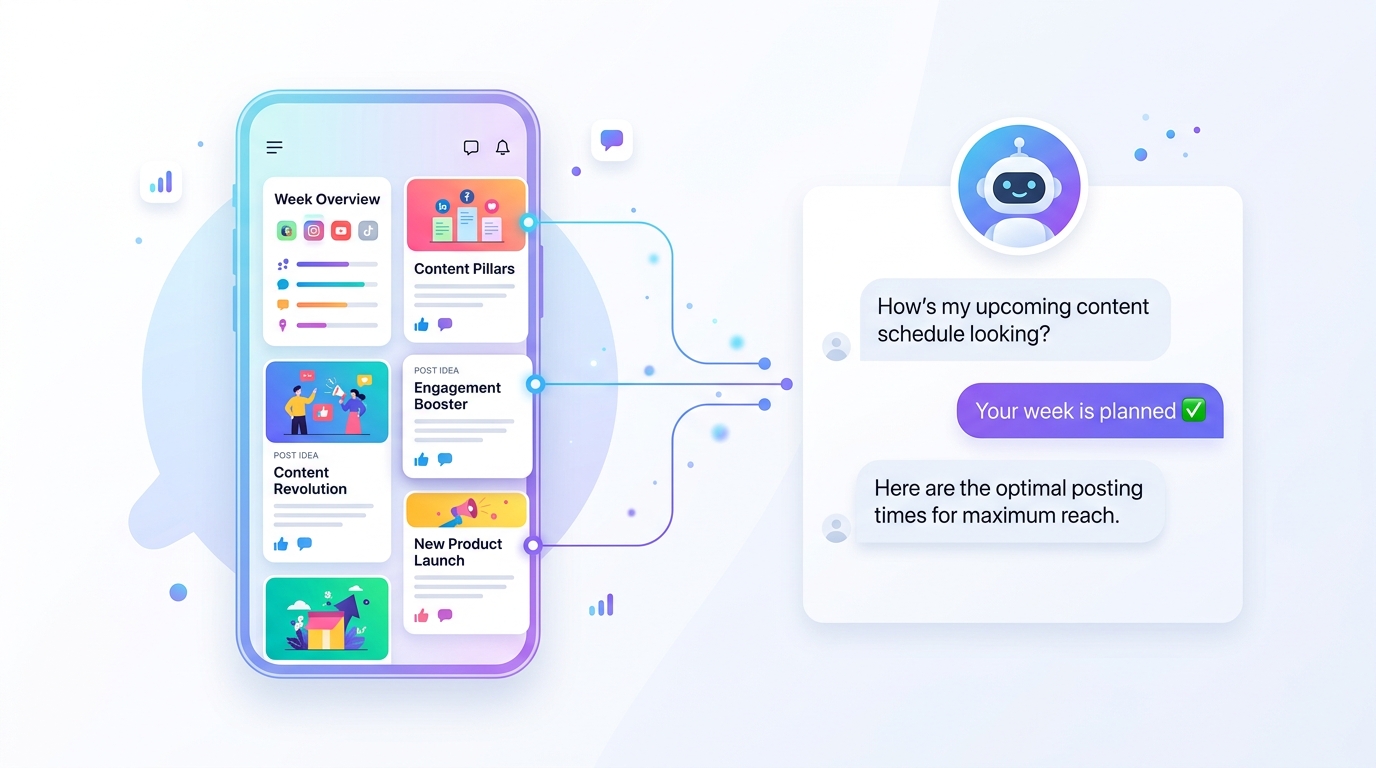
If you've searched "Claude social media" hoping to find a way to actually automate your social media, not just generate captions, this is the guide you've been looking for.
Most articles about Claude and social media show you how to write better prompts. How to ask Claude to generate a caption. How to use Claude Projects to organize your content ideas.
That's useful. But it still leaves you doing most of the work.
This guide shows you something different: how to connect Claude directly to your social media accounts so it can actually manage them, create posts, schedule them, check analytics, fix failures, and plan campaigns from a conversation.
Why Claude Is Different for Social Media
Claude isn't just a better text generator. It's one of the most capable AI models available, able to reason, plan, take multi-step actions, and work with real tools connected to real data.
That last part is key. On its own, Claude can write great social media content. But it can't post it, schedule it, check why your last post failed, or tell you what's actually working on your accounts.
For that, Claude needs to be connected to your social media management tool.
By early 2026, 39% of AI interactions are focused on direct automation and agentic workflows, not just chat. The shift is from Claude as a writing assistant to Claude as an operator that takes action.
That shift is exactly what makes Claude powerful for social media when set up correctly.
Two Ways to Use Claude for Social Media
Option 1 — Use Claude as a writing assistant (basic)
Open Claude, paste your content brief, get a caption. Copy it. Open your scheduling tool. Paste it. Schedule it manually.
This works. Claude writes excellent social media content. But you're still doing all the execution work yourself.
This is what most tutorials teach. It saves maybe 30% of your time.
Option 2 — Connect Claude to your social media tool via MCP (advanced)
MCP (Model Context Protocol) is a new standard that lets Claude connect directly to external tools and take real actions inside them.
When Claude is connected to your social media platform via MCP, you don't copy and paste. You just talk.
"Plan my content for this week" Claude checks your accounts, sees what's scheduled, identifies gaps, writes platform-specific posts, and schedules them.
"My Instagram post failed , what happened?" Claude checks the actual error, tells you exactly why, and fixes it.
"We have a product launch next week" Claude plans the full campaign, writes every post, finds images, and schedules everything at optimal times.
This saves 80-90% of the work. Not 30%.
How to Connect Claude to Your Social Media Accounts
The easiest way to do this today is through RobinReach a social media management platform built specifically for Claude integration via MCP.
RobinReach connects to 13 social platforms: Instagram, Facebook, LinkedIn, Twitter/X, TikTok, YouTube, Pinterest, Threads, Bluesky, Telegram, Google Business Profile, and more.
Once connected, Claude becomes Robin , your AI social media manager that knows your brand, your platforms, your analytics, and your posting schedule.
Setup takes 30 seconds:
- Create a RobinReach account (Bloom or Thrive plan)
- Connect your social profiles
- Go to Settings → Connect Claude
- Copy your personal connection URL
- Paste it into Claude → Settings → Integrations
That's it. Claude now has full access to manage your social media.
What Claude Can Actually Do When Connected
Here's what becomes possible once Claude is connected to your social media accounts via RobinReach:
Content Planning
"Plan my social media for the next 7 days"
Claude checks your connected platforms, sees what's already scheduled, identifies gaps, checks your content pillars and posting history, and creates a balanced week of content, different posts for different platforms, scheduled at optimal times.
Campaign Execution
"We're running a summer sale,25% off everything, ends Sunday"
Claude plans a full campaign: teaser post, launch announcement, mid-campaign engagement post, urgency reminder, final day close-out. Writes every caption optimized for each platform. Finds or generates images. Schedules everything automatically.
Platform-Specific Content
This is where Claude genuinely shines. Not the same caption copy-pasted everywhere. Actually different content for each platform:
- LinkedIn: Professional, insight-led, can be longer
- Twitter/X: Punchy, hook-first, under 280 characters
- Instagram: Visual-first caption, strong opening line, hashtags at end
- TikTok: Energetic, trending hooks, short
- Facebook: Conversational, questions that drive comments
- Pinterest: Descriptive, keyword-rich, always includes a title
Analytics and Performance
"What's been working best for me this month?"
Claude pulls your real analytics, engagement rates, top performing posts, which platforms are driving results, and gives you actionable insights. Not a dashboard to stare at. A conversation where you get answers.
Failure Diagnosis
"Why did my LinkedIn post fail on Saturday?"
Claude checks the actual error, identifies the cause, expired token, content too long, daily limit reached, missing required field, and tells you exactly how to fix it.
Article to Posts
"Turn this into social media posts: [URL]"
Claude fetches the article, extracts the key points, and writes platform-specific posts for each of your channels. Schedules them automatically.
Ecommerce Integration
If you have a Shopify, Etsy, or WooCommerce store, Claude can sync your products and automatically create social media posts for new arrivals, promotions, and bestsellers.
Real Conversations With Claude as Your Social Media Manager
Here's what using Claude for social media actually looks like in practice:
Monday morning check-in:
You: Morning what's going on with my social media?
Claude (Robin): Good morning! Here's your week: engagement was up 18% last week — your Tuesday LinkedIn post was your best performer. This week you have gaps on Wednesday and Friday. Your Instagram post from Sunday failed — token expired, easy fix. You also have 3 new Shopify products that haven't been posted yet. Want me to handle all of this?
Campaign planning:
You: We're launching a new product next week a summer bag, $49.
Claude (Robin): Great! A few quick questions — what's the key message (quality, price, style?) and when exactly does it launch? I'll plan a campaign: teaser this week, launch day across all platforms, follow-up posts through the weekend.
Quick content creation:
You: Create a post about our coffee shop for Instagram and LinkedIn
Claude (Robin): Done. For Instagram: "The best part of your morning deserves the best coffee in the city ☕ Stop by today — we're open until 9pm. [location tag] #coffeelovers #cairo #morningcoffee" — I've found a warm coffee shop image from Unsplash to go with it, scheduled for tomorrow at 8am. For LinkedIn: "We believe the quality of your morning sets the tone for your day. That's why we source our beans from..." — scheduled for tomorrow at 9am. Want me to adjust anything?
Claude vs Traditional Social Media Tools
Which Claude Plan Do You Need?
Claude.ai has a free tier, but for social media management via MCP you need Claude Pro ($20/month) which gives you access to Claude's full capabilities and MCP integrations.
Combined with RobinReach's Bloom plan ($24/month), the total is $44/month for a complete AI social media management setup, less than most businesses spend on a single boosted post.
The Platforms Claude Can Manage Through RobinReach
- Instagram (posts, reels, carousels, stories)
- Facebook (posts, reels, stories)
- LinkedIn (posts, articles, company pages)
- Twitter / X
- TikTok
- YouTube
- Threads
- Bluesky
- Telegram
- Google Business Profile
- Instagram Direct
Tips for Getting the Best Results
Be specific about your brand. The first time you talk to Robin, tell it your brand tone, your audience, and what you sell. It remembers everything from that point forward.
Set your content pillars. Tell Robin what percentage of your content should be educational, promotional, and behind-the-scenes. It'll follow that mix automatically.
Use it for the Monday briefing. Every Monday morning, ask Robin "what's going on this week?" and let it surface everything that needs attention gaps, failures, opportunities before you start your week.
Let it plan campaigns end to end. Don't just ask for one post. Give Robin a brief — a product, a promotion, a date range and let it plan the whole thing.
Give feedback. If Robin writes something you don't like, tell it why. It saves your preferences and adjusts automatically next time.
Get Started Today
Connect Claude to your social media accounts in 30 seconds:
- Create a RobinReach account free to start
- Connect your social profiles
- Upgrade to Bloom or Thrive
- Go to Settings → Connect Claude
- Follow the 30-second setup
Then open Claude and say: "Hi Robin, what's going on with my social media?"
That's the beginning of social media management that actually works — without the hours of manual work every week.
Frequently Asked Questions
Do I need a Claude Pro account? Yes. MCP integrations require Claude Pro ($20/month) or higher.
Which social platforms does RobinReach support? 13 platforms: Instagram, Facebook, LinkedIn, Twitter/X, TikTok, YouTube, Pinterest, Threads, Bluesky, Telegram, Google Business Profile, Instagram Direct, and more.
Is my social media data safe? Yes. RobinReach uses OAuth to connect your platforms securely. Claude only accesses data through RobinReach's API — it never has direct access to your social media passwords or tokens.
Can I still manage my social media manually? Absolutely. Claude is an addition to RobinReach, not a replacement for the dashboard. Use Robin when you want, manage manually when you prefer.
What if Claude makes a mistake? All posts are validated against 40+ platform rules before going live. You can also set Robin to draft mode, it creates everything for your review before scheduling.
RobinReach is a social media management platform with native Claude AI integration. Connect 13 platforms, let Robin plan and execute your content, and stop spending hours every week on social media.