Comment to DM Automation: Turn Social Comments Into Conversations
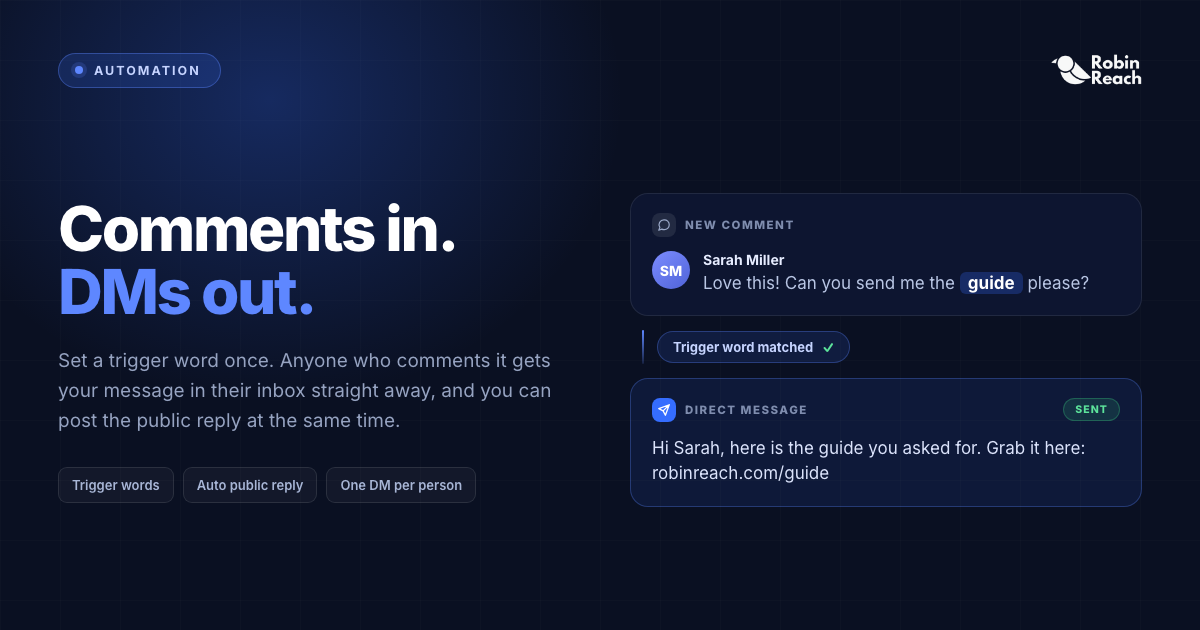
Someone comments "GUIDE" on your post. Now what?
Manually, that means finding the comment, opening their inbox, writing the same message you've written fifty times already, and sending it, then doing it again for the next hundred people who comment the same word.
Comment to DM automation skips the manual part. You set a trigger word once; RobinReach sends the DM automatically every time someone uses it.
Comment → Keyword → Automatic DM → Conversation.
What Is Comment to DM Automation?
It's a workflow that watches your post's comments for a specific word or phrase and sends a private message the moment someone uses it.
Post: "Want our free social media calendar? Comment CALENDAR and we'll send it over." Comment: CALENDAR Automated DM: "Hey! Here's the calendar you asked for: [link]"
No one on your team touched that interaction. The person still got a fast, personal-feeling response.
Why It Matters: Speed Beats Almost Everything Else
A comment is a raised hand, someone already showed intent. The problem is the gap between that moment and your reply. Respond in seconds and the interest is still hot. Respond tomorrow and it's often gone; respond in three days and they may not remember commenting.
Automation doesn't just remove repetitive work, it collapses the delay between interest and response, which is the actual thing that converts.
How It Works in RobinReach
- Pick the account you want the automation to run on.
-
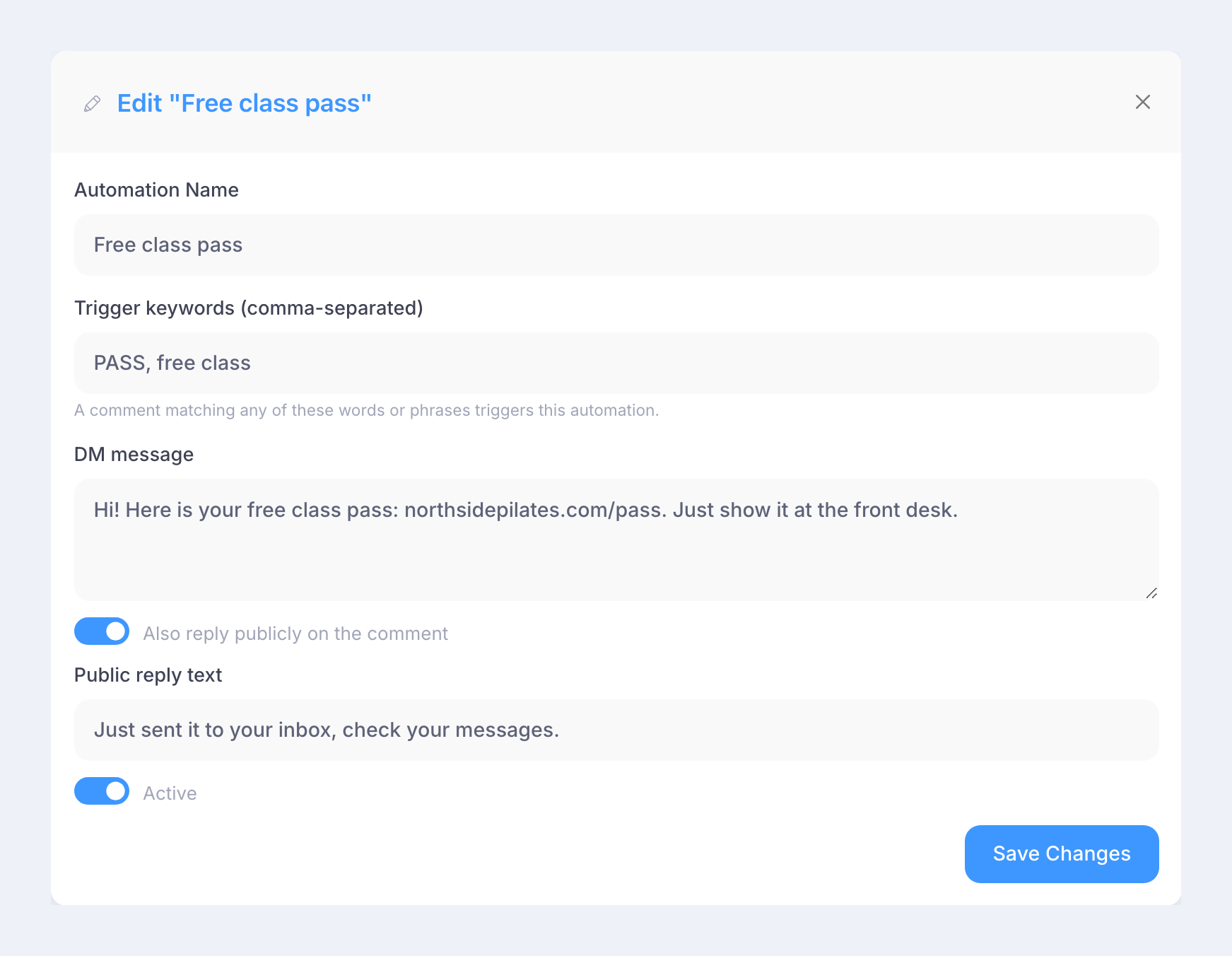
Set trigger words (e.g.,
guide,demo,price) — RobinReach also catches common variations, so you don't need an exact-match essay. - Write the DM — a link, a code, a resource, or a simple opener.
- Turn it on. RobinReach handles matching comments from there. Each person gets the message once per automation, even if they comment the trigger multiple times.
Real Use Cases by Business Type
Use case Post CTA Who it's for Free resource "Comment GUIDE for the free guide" Creators, educators, newsletters Product demo "Comment DEMO for a walkthrough" SaaS, software Discount code "Comment SAVE for 20% off" Ecommerce, retail Event registration "Comment WEBINAR for the link" Coaches, event hosts Pricing (kept off public feed) "Comment PRICE for details" Service businesses Local info "Comment MENU / LISTINGS / QUOTE" Restaurants, real estate, local servicesAgencies get the biggest multiplier here, the same workflow scales across every client's lead magnets, launches, and promos without a human babysitting each comment section.
It's a Conversation Starter, Not Just a Link Dispenser
The automated message doesn't have to end at a URL:
"Hey! Here's the guide you asked for. If you tell me what you're currently working on, I can point you to the most useful section."
That opens a real conversation. Automation handles the first, repetitive step; a human takes over once the conversation actually needs one. That handoff, not the DM itself, is where automation earns its keep.
Writing a Trigger People Will Actually Use
Good triggers are short, easy to spell, and unlikely to appear by accident, GUIDE, not DOWNLOAD-MY-FREE-SOCIAL-MEDIA-GUIDE. You can map several synonyms (guide, ebook, resource) to one automation if your audience might phrase it differently.
Your post also needs a clear ask. "We made a new guide" gets nothing. "Comment GUIDE and I'll send it to you" gets comments. Structure: reason → one clear action → immediate delivery.
Compliance: What to Know Before You Turn This On
Platforms regulate automated messaging, and it's worth understanding before you scale a campaign:
- Meta's 24-hour messaging window applies to Instagram and Facebook DMs, automated replies triggered by a comment are generally fine since they're user-initiated, but follow-up messages outside that window are restricted.
- Rate limits and spam detection exist on every platform; don't attach an automation to trigger words so generic they fire on unrelated comments.
- Always deliver exactly what the post promises, mismatches get reported, and reports hurt account standing.
RobinReach is built to stay inside these limits automatically, but it's worth knowing the rules if you're running this on multiple accounts.
Best Practices
- Keep the first DM short. Deliver what was promised, then offer an easy next step.
- Always follow through. If the post says "I'll send the code," send the code — trust matters more than the click.
- One CTA per post. Don't split attention across comment, website, email, and follow.
- Don't over-automate. Reserve triggers for specific, high-intent phrases — not every comment needs a bot reply.
- Sound human. "Hey! 👋 Here's the guide: [link]" beats "YOUR REQUEST HAS BEEN PROCESSED."
FAQ
Does Comment to DM work on Instagram and Facebook? Yes — RobinReach supports comment-triggered DMs on both, using each platform's messaging API within their automation policies.
Will people get the same DM if they comment the trigger twice? No. Each automation sends its message to a given person once, so repeat comments don't spam them.
Can I use more than one trigger word for the same automation? Yes — map synonyms (e.g., guide, ebook, resource) to a single automation and message.
Is this against Instagram's or Facebook's terms of service? No, as long as messages are sent in response to genuine user action and you stay within each platform's messaging-window and rate-limit rules — RobinReach is built to operate within those constraints.
What if someone doesn't use the exact trigger word? RobinReach catches common variations of single-word triggers, so close matches (plurals, minor misspellings) typically still fire correctly.
Get Started
In RobinReach: Automation → Comment to DM. Set a trigger, write your message, turn it on, then post your CTA:
"Comment GUIDE and I'll send it to you."
Let the automation handle the repetition, you handle the conversations that actually need you.